01 / RECORD
A little entry. A useful habit.
Amount, date, category. Add a note when you need one, or calculate a sum right in the amount field.
 Daily Expenses
A little clarity, every day
Everyday expenses. One simple ledger. A calmer way to see where your euros go, without connecting your bank.
App Store release in preparation
For iPhone & iPad · EUR · Works offline
Small entries.
A bigger picture.
Record a purchase, understand a pattern, get on with your day.
01 / RECORD
Amount, date, category. Add a note when you need one, or calculate a sum right in the amount field.
02 / UNDERSTAND
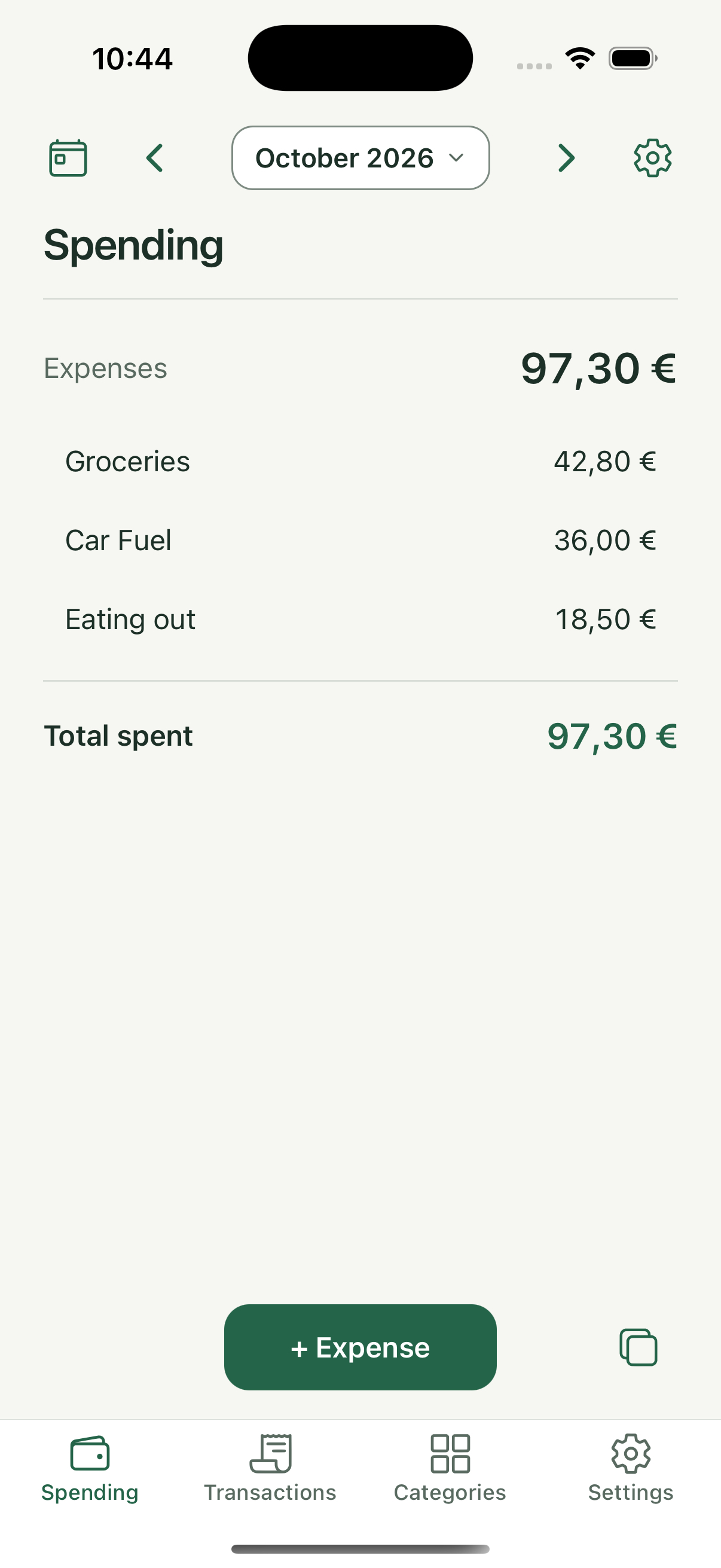
Choose a day, week, month or your own date range. Category totals make spending easy to review.
03 / FIND
Search notes and categories, filter transactions, and sort by date or amount. Correct an entry whenever you need to.
04 / KEEP
No account or bank connection. Your expenses stay on your device, with optional Face ID or passcode protection.
05 / BACK UP
Choose optional iCloud snapshots or save a complete backup to Files. Export CSV and JSON for your own records.
06 / MAKE IT YOURS
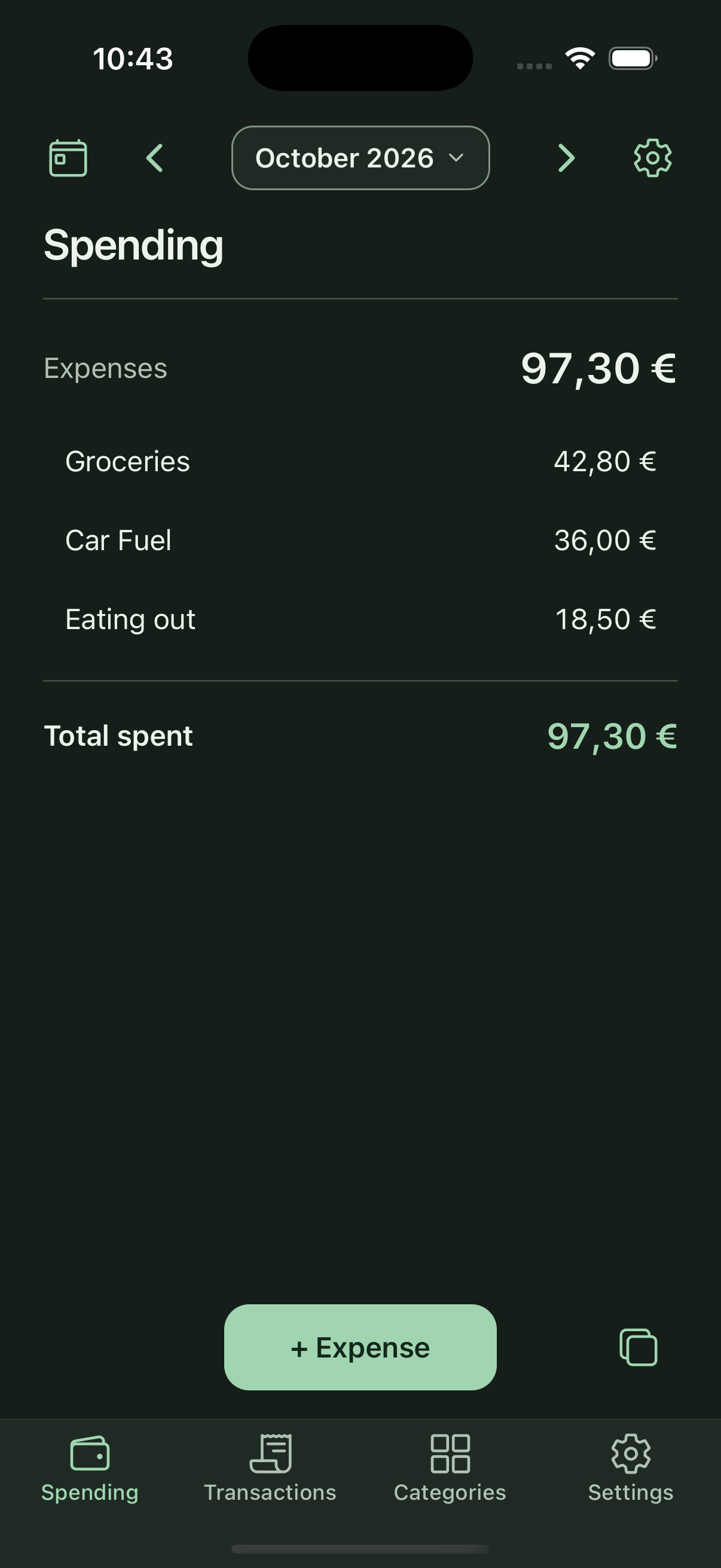
Arrange categories, choose light or dark appearance, and use Shortcuts or widgets for quick entry.
Inside Daily Expenses
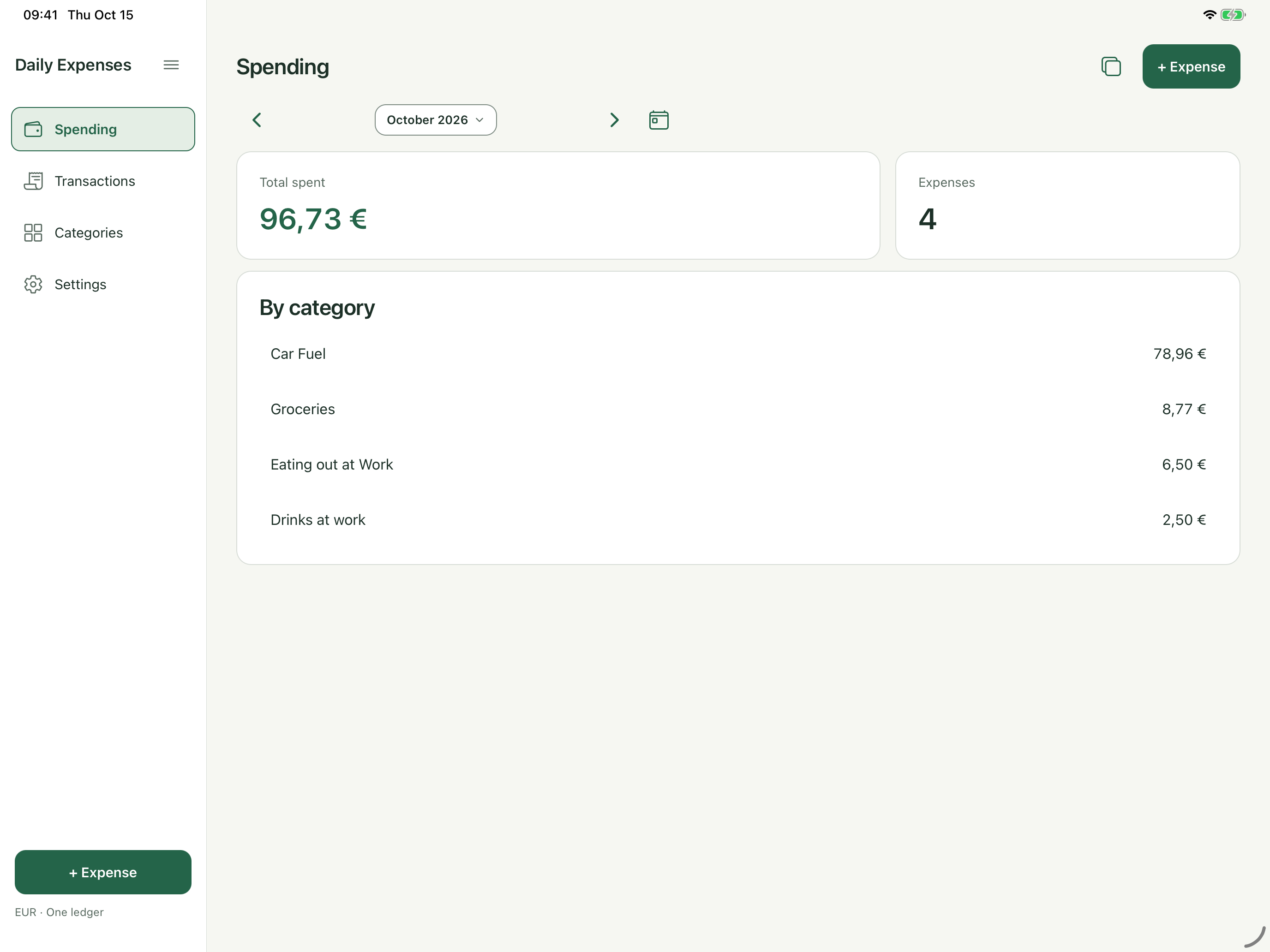
Real app screens with sample expenses. The same ledger tools, with space to suit your screen.
From a purchase to a pattern
There is no account to create or bank to connect. Keep the habit simple, and keep your backup somewhere you trust.
How your information is handledEnter the amount, pick a category, and save. Today is already selected.
Review your spending across the time period that matters to you.
Save a full backup to Files or choose optional iCloud backup snapshots.
A question along the way?